
Download Yourchat – Free AI Messenger, Multilingual Chat & Image Generator
Overview
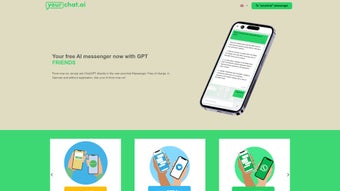
Yourchat.ai is a browser‑based AI messenger that brings the power of OpenAI’s GPT models to any device without the need for registration, downloads, or costly subscriptions. The platform offers instant, free conversational AI that automatically detects the language you type, supporting English, German, Italian, Spanish, French and a growing list of additional languages. Beyond text chat, Yourchat introduces two distinctive modules: “YOURFRIENDS,” which lets you converse with AI‑driven avatars of historical and contemporary figures, and “PicassoMe,” an on‑demand diffusion‑model image generator that creates high‑resolution visuals from natural‑language prompts.
All interactions occur over HTTPS, ensuring encrypted communication and a privacy‑first approach that does not store session data beyond the active conversation. Because it runs entirely in the cloud, the service is truly cross‑platform, delivering the same experience on Windows PCs, macOS laptops, Linux desktops, Android smartphones, and iOS tablets. Whether you are a student seeking quick explanations, a marketer looking for eye‑catching graphics, or a curious user who simply wants to chat with a virtual Einstein, Yourchat delivers a seamless, zero‑cost solution that eliminates the friction traditionally associated with AI tools.
Its lightweight design, ad‑light interface, and responsive layout make it an attractive alternative to heavyweight desktop applications while still offering the core capabilities of modern conversational AI.
Key Features & Tools
- Instant AI Chat: Start a conversation with a GPT‑powered assistant the moment the page loads—no sign‑up, no passwords.
- Multilingual Support: Write in any of the supported languages; the model detects and replies in the same language.
- YOURFRIENDS Personas: Choose from a curated list of AI avatars such as Albert Einstein, Marie Curie, Greta Thunberg, and Warren Buffett for educational or advisory dialogues.
- PicassoMe Image Generator: Transform descriptive text prompts into vivid images, perfect for quick mock‑ups, social‑media posts, or brainstorming sessions.
- Secure HTTPS Connection: All data is encrypted in transit, and sessions are not retained after you close the browser tab.
- Ad‑Light Experience: Minimal, non‑intrusive advertisements fund the free service without disrupting the user flow.
- Responsive Design: Optimized layout adapts to desktops, laptops, tablets, and smartphones for consistent usability.
- Zero‑Cost Access: Core functionalities are completely free; no hidden fees or subscription tiers.
Each feature has been engineered to reduce friction and maximize productivity. The instant chat eliminates onboarding steps, letting you type your first question and receive a response in seconds. Multilingual detection works in real time, allowing global users to feel instantly at home.
The YOURFRIENDS module adds an educational layer, turning a simple conversation into a tutoring session with a historically accurate persona. PicassoMe leverages state‑of‑the‑art diffusion models, producing images that rival those created with dedicated desktop software, yet it requires only a single sentence prompt. Security is baked in through HTTPS and a policy of not persisting chat logs, aligning with GDPR and other privacy standards.
Finally, the responsive UI ensures that whether you are on a high‑end Windows workstation, a macOS laptop, a budget Android phone, or an iPad, the experience remains fluid and fully featured.
Installation, Usage & Compatibility
How to Get Started (Installation)
Because Yourchat is a pure web application, there is no traditional installation process. Follow these three steps to begin:
- Open a Modern Browser: Use Chrome, Edge, Firefox, Safari, or Opera on any operating system.
- Navigate to the Site: Go to https://yourchat.ai. The homepage loads in under two seconds on a typical broadband connection.
- Start Chatting: Click “New Chat,” type your first message, and watch the AI respond instantly. No account creation, captcha, or email verification is required.
Using the Core Tools
Once the interface loads, you will see three primary tabs: Chat, YOURFRIENDS, and PicassoMe. The Chat tab is the default workspace for free‑form conversation. Type in any supported language; the model auto‑detects and replies accordingly.
Switch to the YOURFRIENDS tab to select an avatar from a dropdown menu; each avatar has a knowledge base that mimics the real person’s tone and expertise. In the PicassoMe tab, enter a descriptive prompt such as “a futuristic city at sunrise with neon lights” and click “Generate.” Within seconds, a high‑resolution image appears, ready for download or direct sharing on social platforms. All tools share a consistent toolbar for clearing the conversation, copying text, and exporting images.
Compatibility (Web – cross‑platform)
Yourchat runs on any device that supports modern JavaScript, HTML5, and CSS3. Tested browsers include:
- Google Chrome 90+ (Windows 10/11, macOS Monterey+, Android 9+, iOS 14+)
- Microsoft Edge 90+
- Mozilla Firefox 88+
- Apple Safari 14+
Because all processing occurs on remote servers, there are no CPU or GPU requirements on the client side, making it ideal for low‑end laptops, Chromebooks, or older smartphones. The only prerequisite is a stable internet connection; a minimum of 2 Mbps ensures smooth text interaction and rapid image generation.
Pros, Cons & Frequently Asked Questions
Pros
- Completely free with instant browser access—no sign‑up needed.
- Accurate multilingual support that adapts to the user’s language.
- YOURFRIENDS avatars provide educational value and entertainment.
- PicassoMe generates high‑quality images without any external software.
- Secure HTTPS connection and no long‑term data storage.
- Responsive design works across Windows, macOS, Linux, Android, and iOS.
- Ad‑light interface keeps the experience uncluttered.
Cons
- Requires an active internet connection; offline use is not possible.
- AI personality customization is limited to preset avatars.
- Highly specific image prompts may yield generic results.
- Occasional short‑term rate limiting during peak traffic periods.
- No native mobile app—access is browser‑only.
FAQ
Is Yourchat really free?
Yes. All core features—including AI chat, YOURFRIENDS personas, and PicassoMe image generation—are completely free. The platform may show unobtrusive ads, but there are no hidden subscription fees.
Do I need to create an account?
No. Yourchat is designed for instant access. You can start a conversation as soon as the website loads.
How secure is my data?
All communication between your browser and the Yourchat servers is encrypted via HTTPS. Sessions are not stored long‑term, and the service follows GDPR‑compatible privacy practices.
Can I use Yourchat on a mobile device?
Absolutely. The responsive UI works in any modern mobile browser on Android or iOS, delivering the same chat and image‑generation capabilities as on a desktop.
What languages does Yourchat support?
Yourchat currently supports English, German, Italian, Spanish, French, and can auto‑detect many other languages, responding in the same language you use.
Conclusion & Call to Action
Yourchat stands out as a versatile, free, and instantly accessible AI companion that merges conversational intelligence with creative image generation. Its multilingual capabilities, educational YOURFRIENDS avatars, and seamless PicassoMe tool make it valuable for professionals, students, and casual users alike. While the reliance on an internet connection and the absence of a dedicated mobile app are minor drawbacks, the platform’s zero‑cost model, strong security posture, and cross‑platform compatibility outweigh those limitations. Whether you need quick explanations, engaging visuals, or simply a friendly AI to chat with, Yourchat delivers a frictionless experience that encourages exploration and productivity.
Ready to experience AI without barriers? Visit Yourchat.ai now, start a conversation, generate stunning images, and discover how effortless AI can be.






